
For contractors running on QuickBooks Online.
You know what you sold. You know what you spent. Now know what jobs are losing you money.
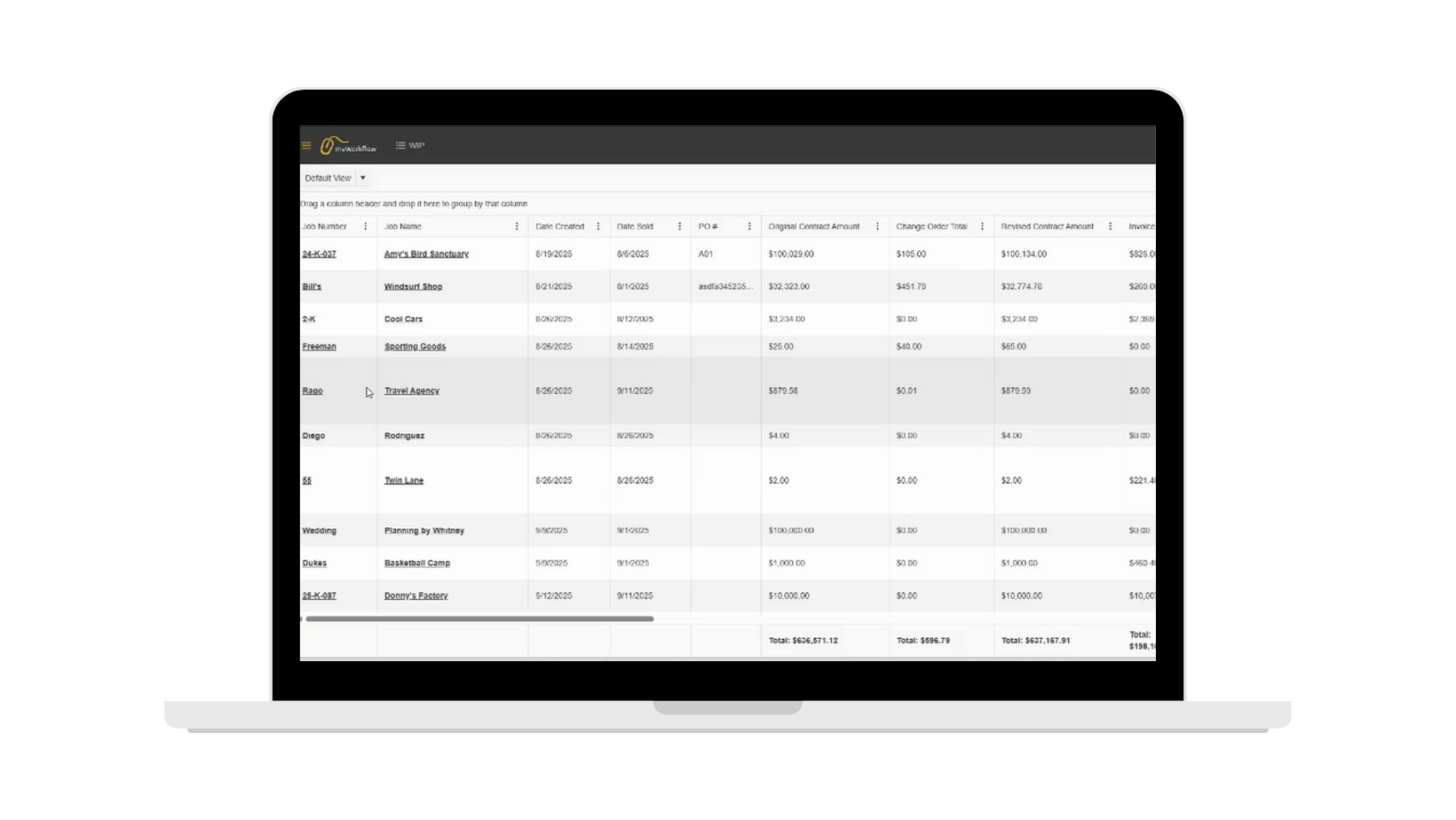
myWorkflow pulls your job data out of QuickBooks Online and puts contract value, billings, cash, cost, and margin on one live screen. So a job going thin shows up at closeout.this week.
Running jobs without myWorkflow.
The data exists, but no one can assemble it fast enough to act on it.
Your numbers are already in QuickBooks, in a job-cost spreadsheet, in a change-order email thread, or in a project manager's head. Turning that into a WIP report is manual work that happens monthly at best. By the time the report is finished, it's describing a job you can no longer change. What if that job you can’t change is costing you money?
How it runs today
The monthly rebuild.
Someone assembles the WIP report by hand, and it's outdated the moment they finish.
The margin you find out about too late.
A job runs thin for weeks before anyone with authority sees it.
The five places your numbers live.
QuickBooks, a spreadsheet, an e-mail thread, and one project manager's memory.
How it runs instead
Live, not monthly.
The WIP report builds itself. Open it and the numbers are already current.
Problem jobs surface in days.
Margin drift shows up while there is still time to do something about it.
One screen, one source.
Costs flow in from QuickBooks. Everyone is reading the same numbers.
None of that is a discipline problem, it's a plumbing problem. Here's what we built to fix it.
Two modules one system.
The money and the work, finally in one place.
myWorkflow is two connected modules. The WIP module answers how is this job performing. The Project Management module answers what has to happen next on it. Because they share the same job record, the person tracking tasks and the person tracking margin are looking at the same job.
WIP Reporting
Live from QuickBooks Online. Contract value, billings, cash, cost, and margin side by side on every active job. Group, filter, and sort it into a View that matches how you think — then save it and share it. Hover any total to see exactly how it was calculated.
PROJECT MANAGEMENT
Every job opens into a full workspace. Tasks with status, priority, due dates, and sub-tasks. Notes for the standing facts about a job, comments for the back-and-forth. Task templates so recurring job types start pre-built.
What project managers are saying…

Ben Warner
Sports Construction Project Manager
Empire Netting & Fence
Carson Hoover
Access Control Project Manager
Empire Netting & Fence
Explore myWorkflow.
Six reasons myWorkflow works where other tools didn’t.
Hear From Real myWorkflow Users
“myWorkflow has been a MASSIVE timesaver! The ability for us to look at all of our projects and quickly know which jobs we are underbilled on, or which require a more in-depth analysis by looking at the live job cost, has been very helpful. Additionally, the ability to track our backlog is very helpful and allows us to proactively see gaps in our schedule, so we are not scrambling to find work once previous projects wrap up.”
— Drew Nagengast, Controller, Empire Netting & Fence

“Being able to see accumulated costs on individual projects allows me to perform at a higher level by quickly identifying areas of concern or recognizing when my team has executed a project well. I especially like how easy it is to get a quick snapshot of profit and expenses — it helps me know which projects may need a closer look and when I should connect with our accounting team.”
— Ben Warner, Project Manager, Empire Netting & Fence

Is myWorkflow built for you?
-
myWorkflow is a fit if you:
- Run project-based work — commercial or specialty trades
- Already use QuickBooks Online
- Have 10 to 200+ jobs open at once
- Do $2M–$50M a year
- Rebuild a job-cost or WIP spreadsheet by hand today
-
It’s probably not a fit yet if you:
- Aren’t on QuickBooks Online — the connection is the whole on-ramp
- Do mostly one-off residential or retail service calls
- Run a handful of jobs a year that a spreadsheet handles fine
- Already run a full construction ERP you’re committed to
Priced so you can do the math yourself.
$500 a month for the whole platform and five named users. $75 a month for each seat after that. A one-time $5,000 onboarding gets you configured and trained by a consultant instead of a help article. Billed monthly, cancel anytime.